
After opening the package, you will see:
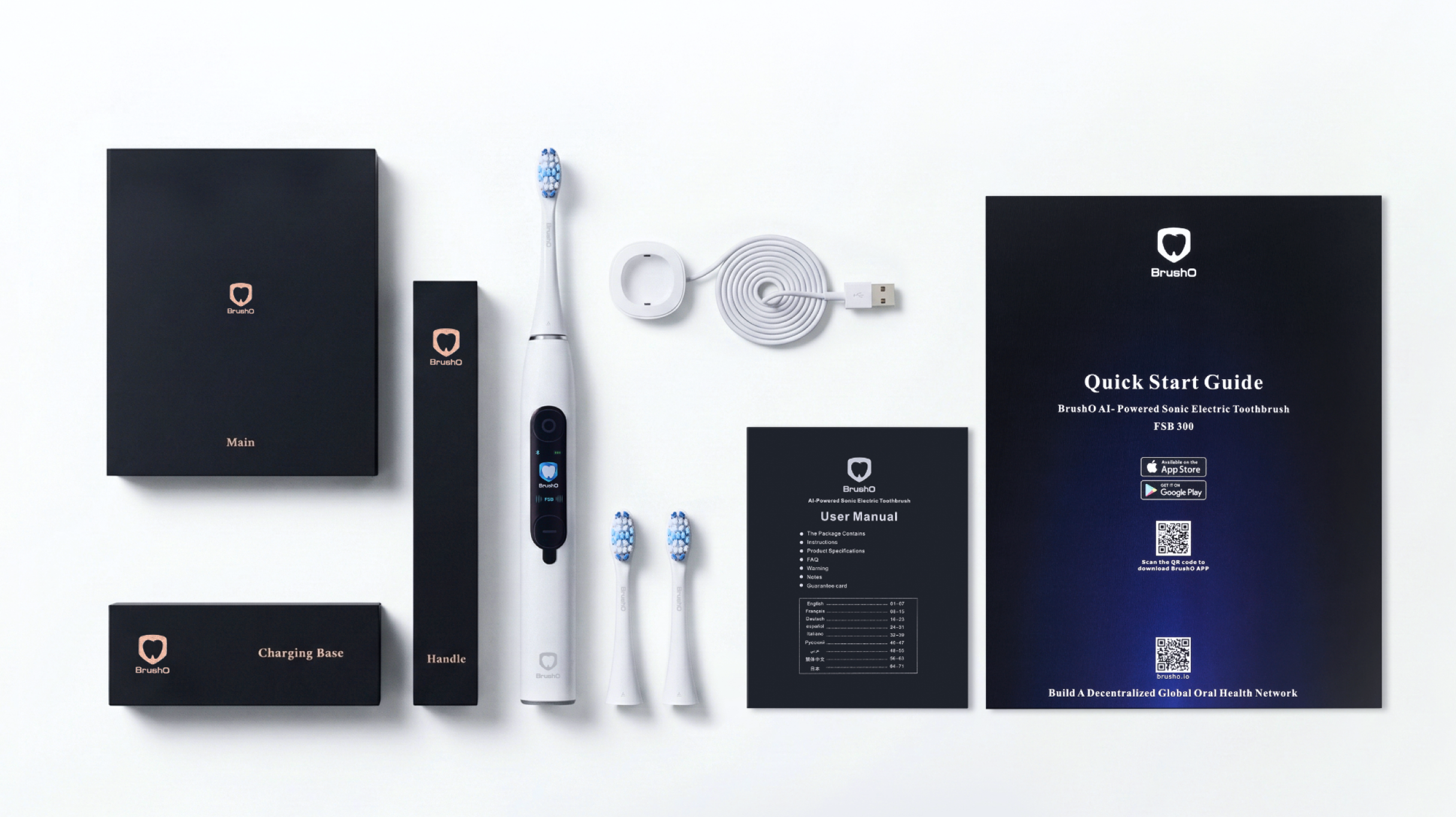
Please check if all accessories are complete. If anything is missing, please contact the support team: customerservice@brusho.io
For details, please scan to view
Charge the toothbrush

Connect the charging base to the USB power supply.
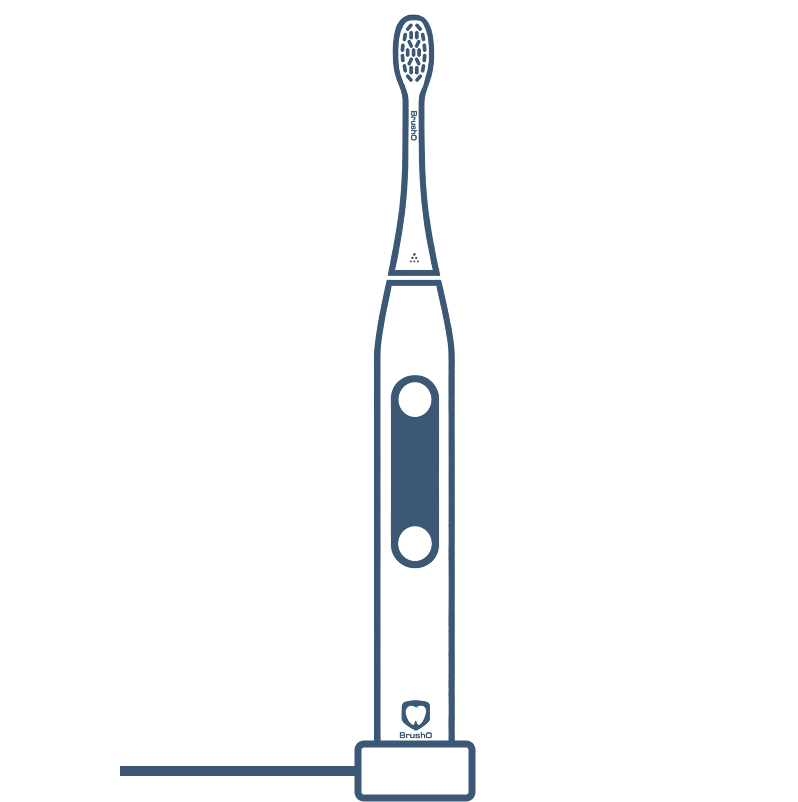
Place the toothbrush vertically on the base.

The indicator light will turn on to show that it is charging.
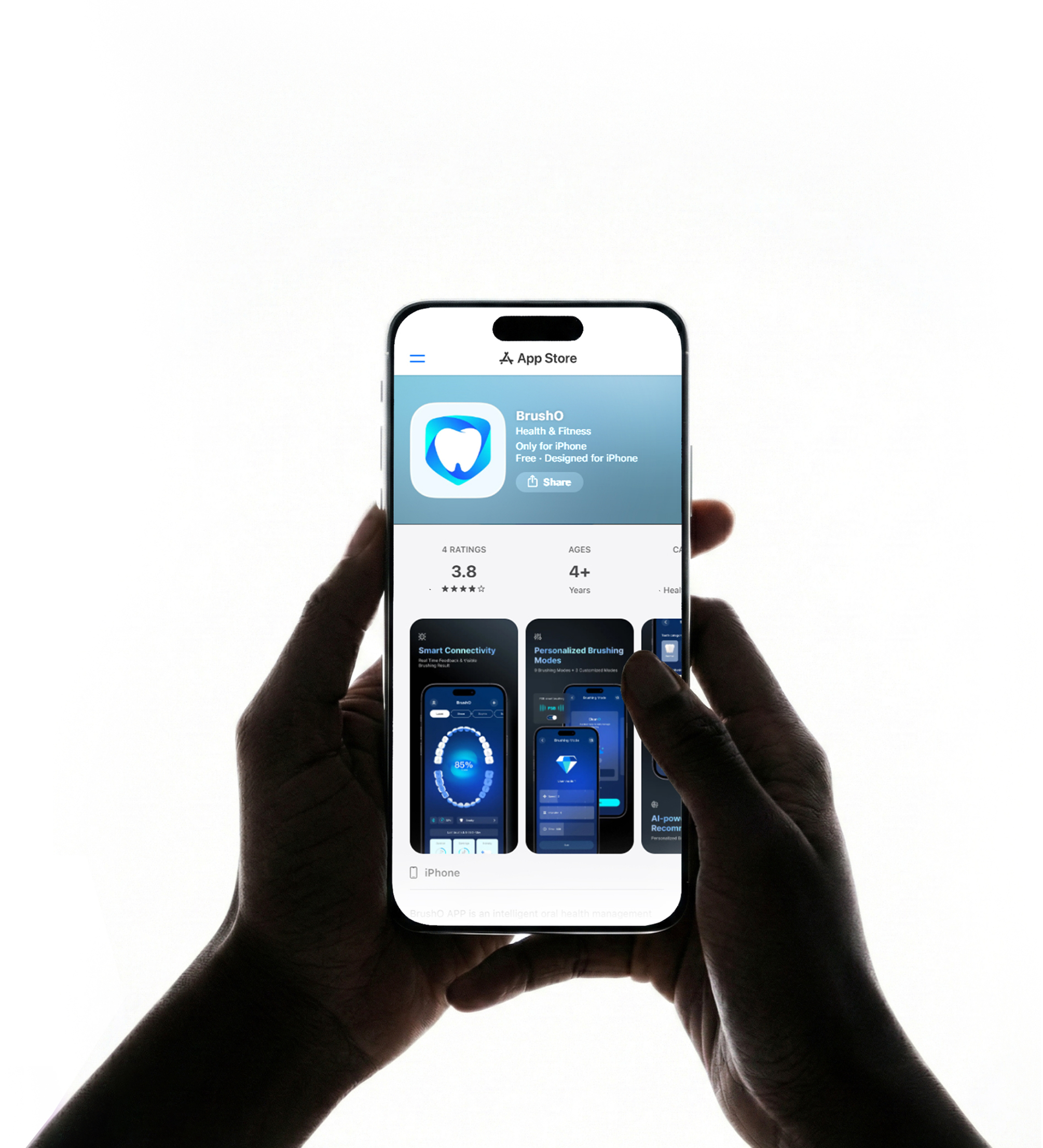

iOS:
Search BrushO on the App Store

Android:
Search BrushO on Google Play
Log in with Google account / Apple account in one click
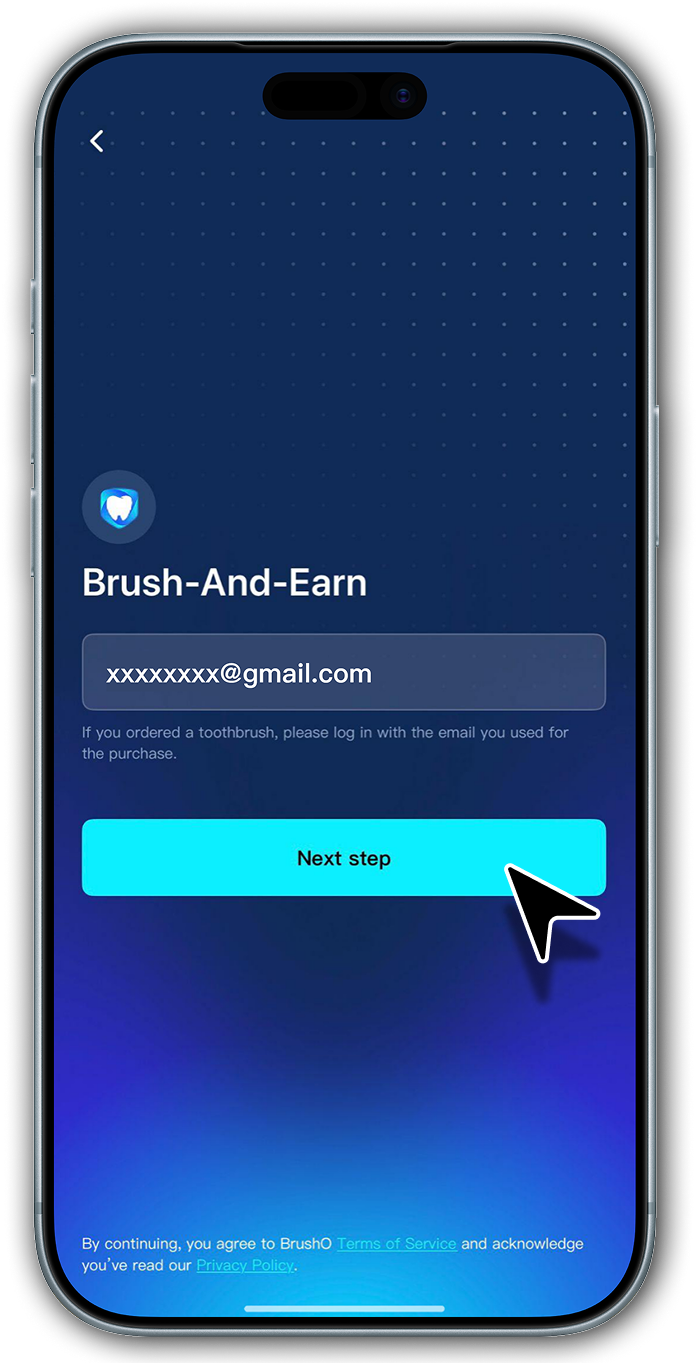
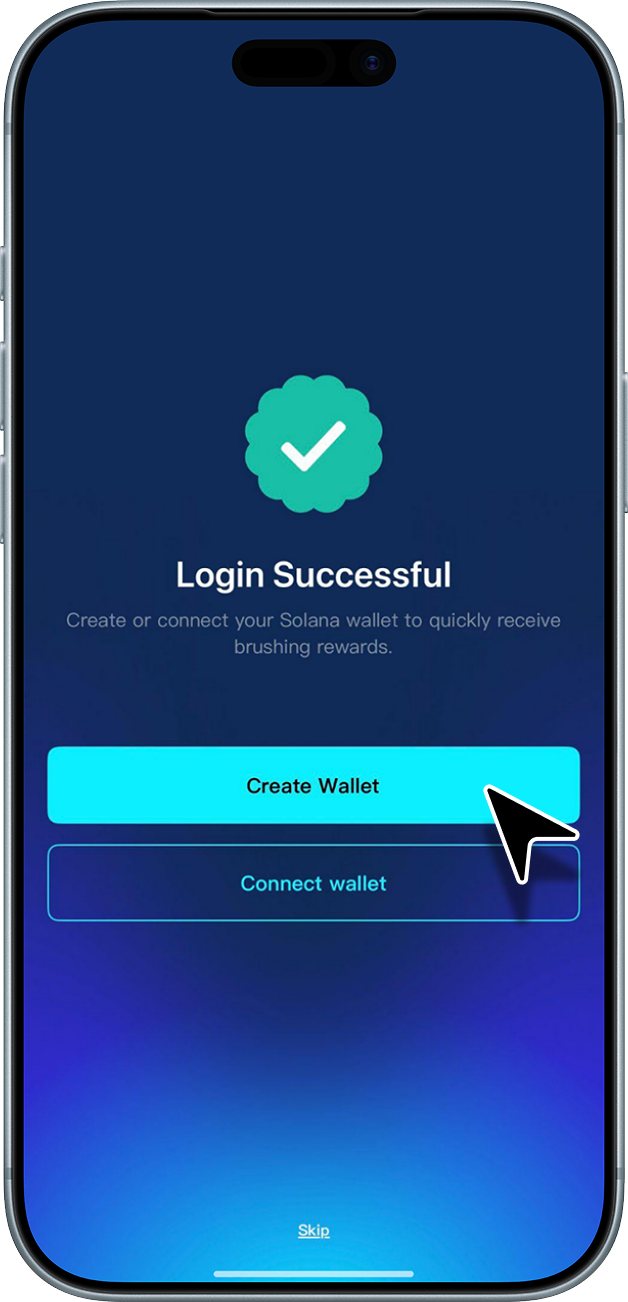
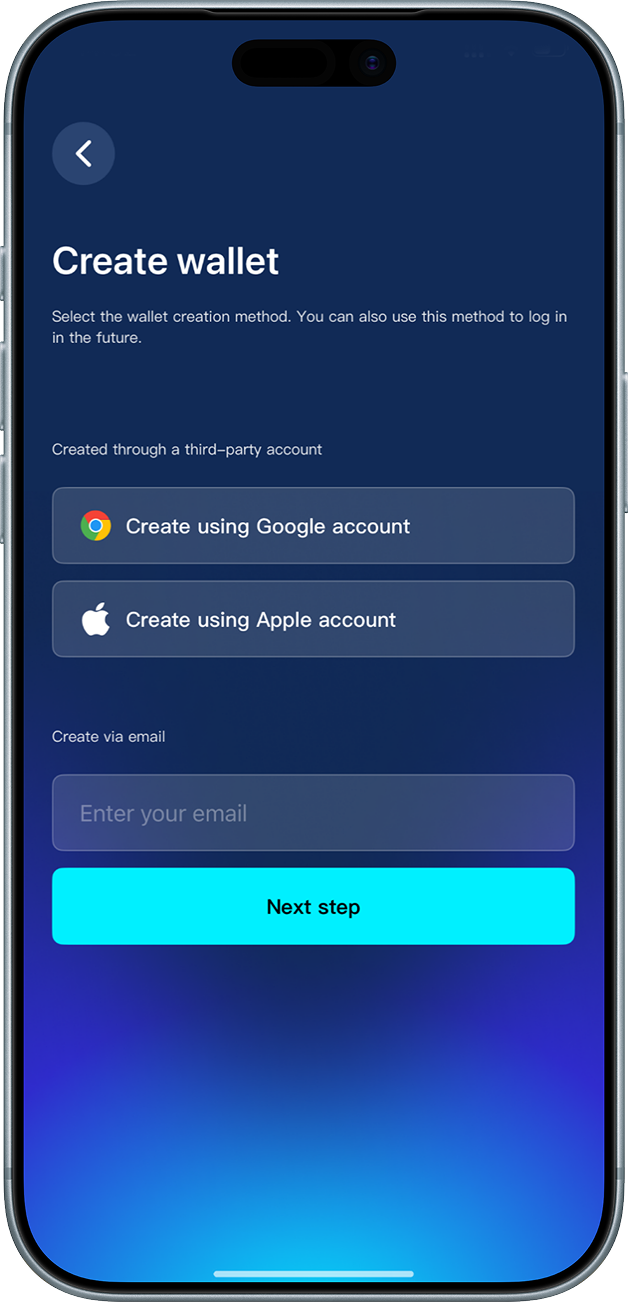
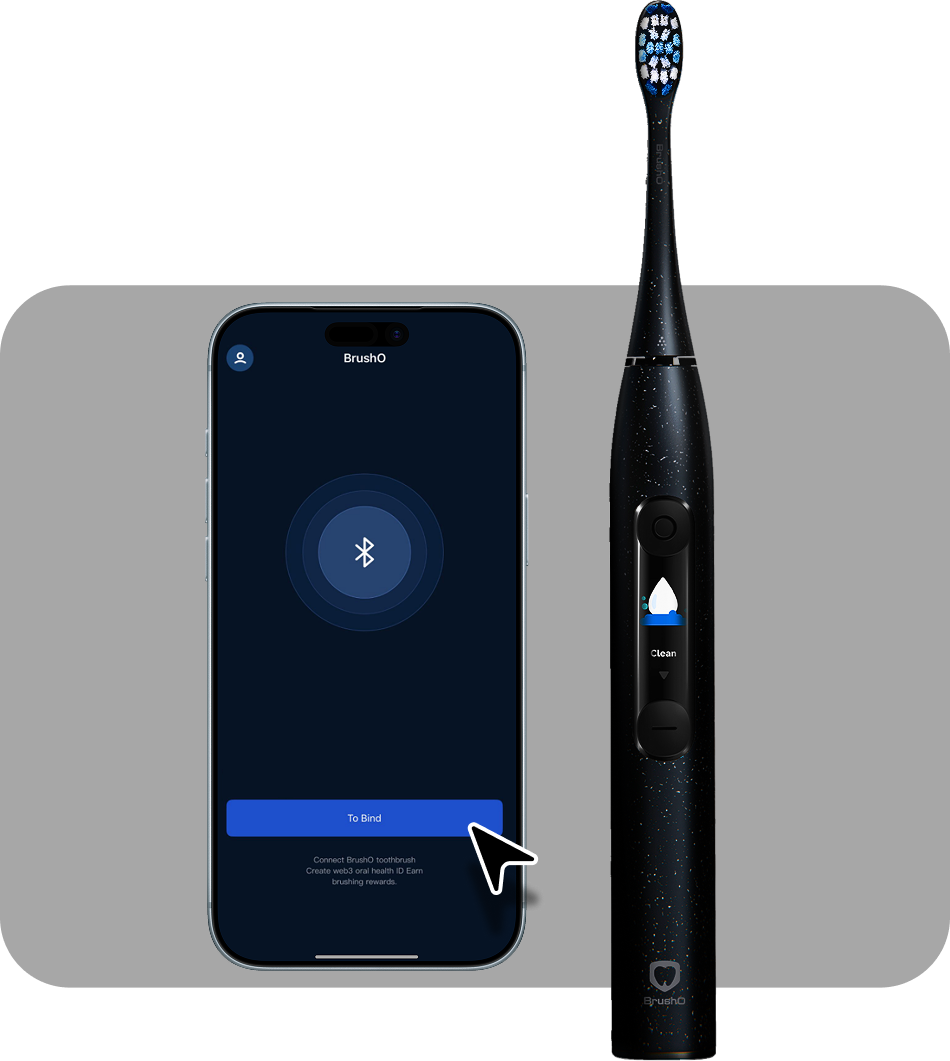
Turn on the phone's Bluetooth and bring the toothbrush close to the phone
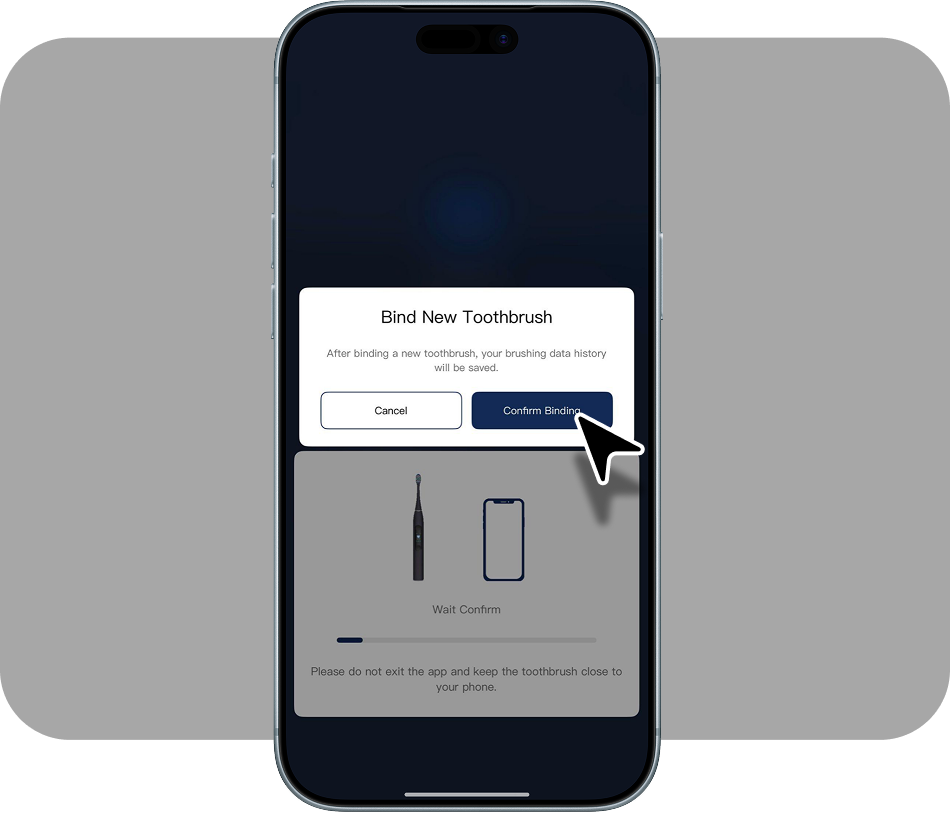
Scan the QR code on the brush head.
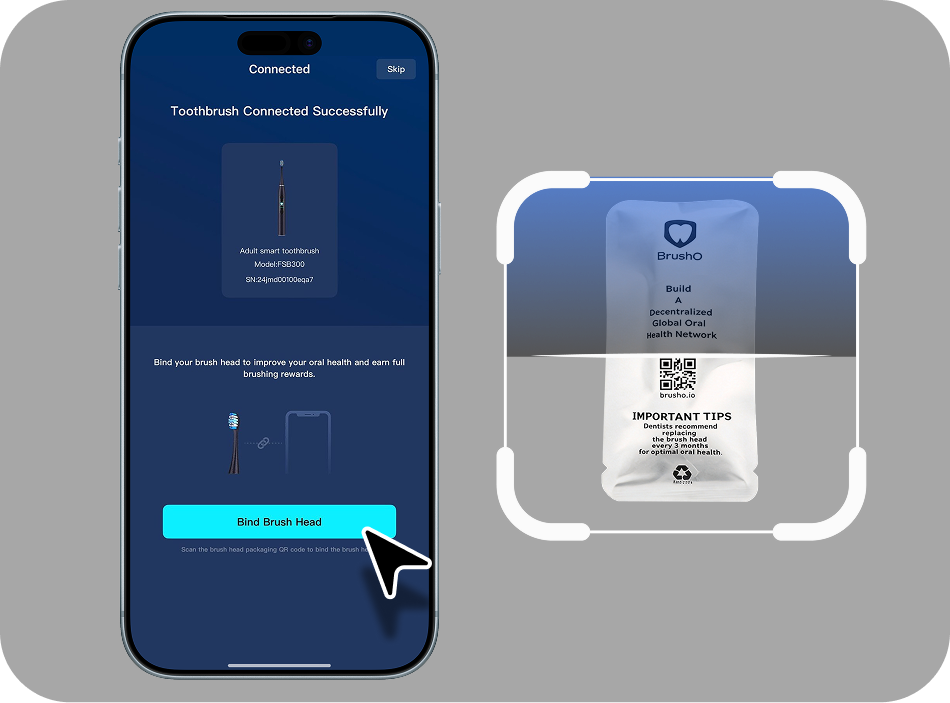
The brush head is successfully bound.
Recommended Modes for Beginners
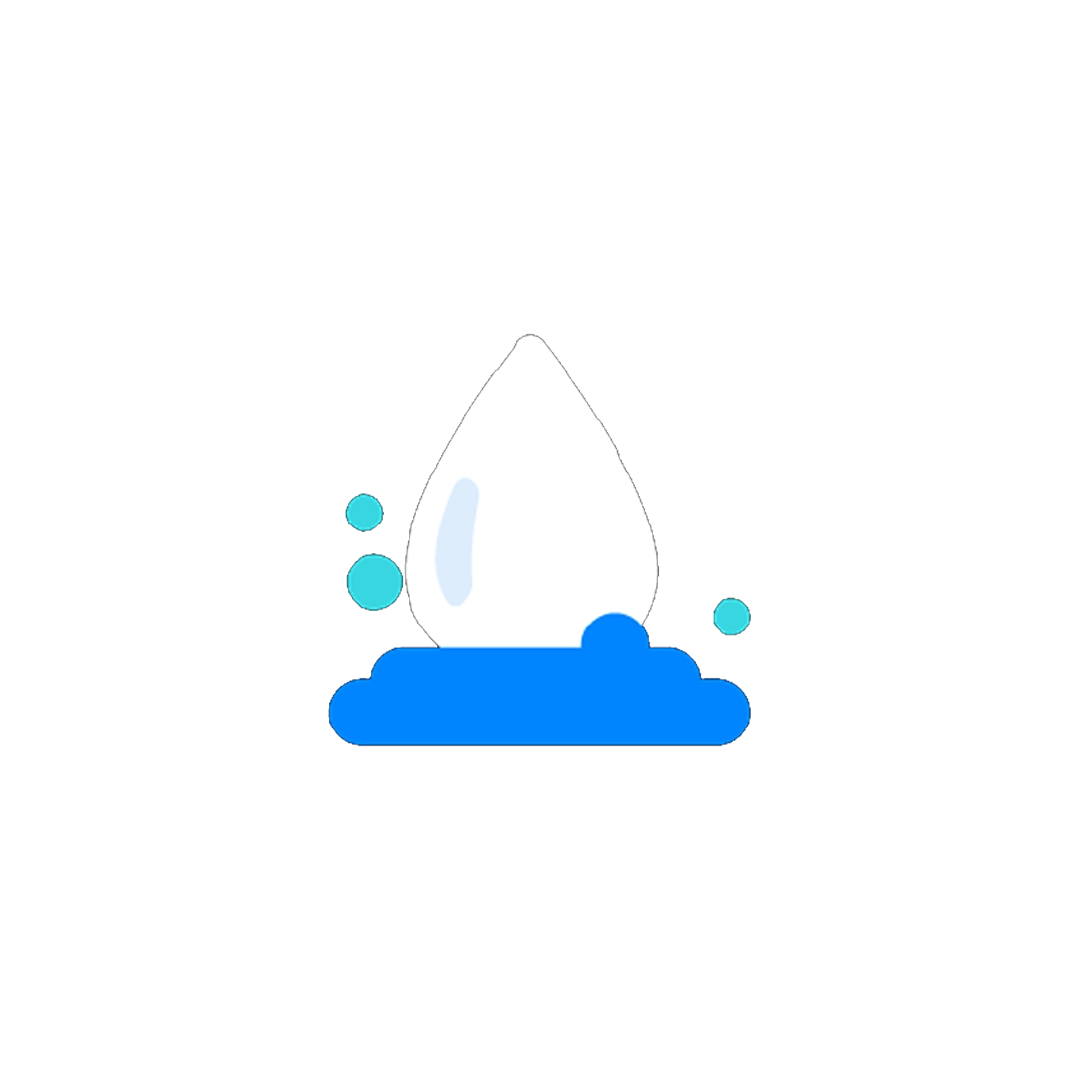
Efficient daily cleaning, ideal for first-time users.

Gentle cleaning, suitable for people with sensitive gums.
Full Brushing Mode Overview
BrushO features 8 brushing modes plus 3 custom modes (Custom mode supports over 100 brushing modes),
all switchable in the app:


gum care


Create a Brushing Experience Tailored Just for You
In User Mode,
you can freely combine brushing parameters based on your oral condition
and brushing habits to create a cleaning routine that suits you best:
5 speed levels:
From gentle to powerful, choose according to your needs
5 intensity levels:
Precisely adjust brushing strength to better protect your teeth and gums
Custom brushing duration:
Set anywhere from 45 seconds to 4 minutes to match your personal cleaning requirements
Whether you need sensitive care, focused cleaning, or a personalized daily routine,
User Mode ensures every brushing session fits your needs perfectly.
Open APP > More > Brush Mode
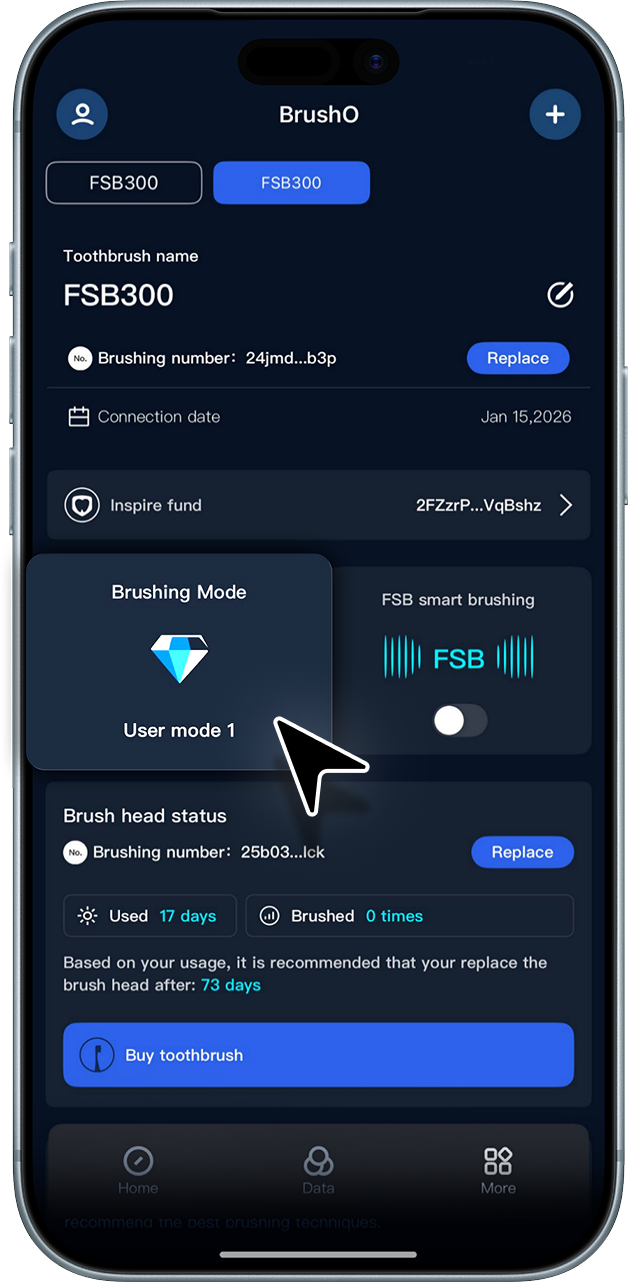
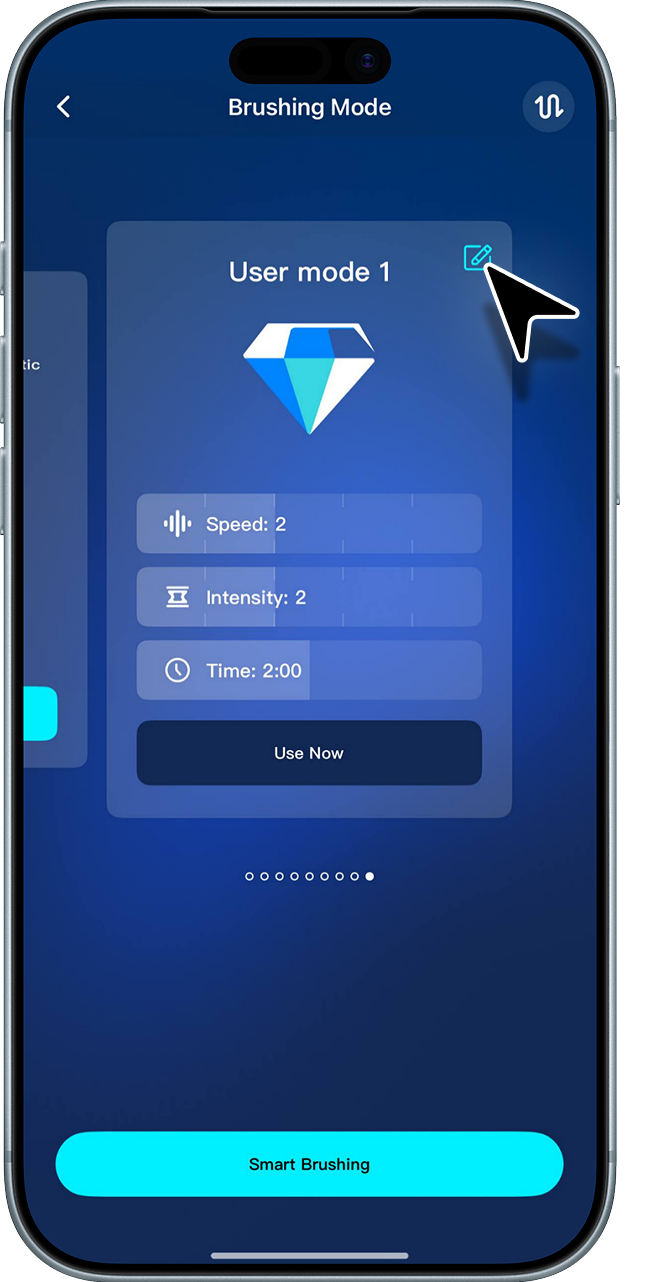
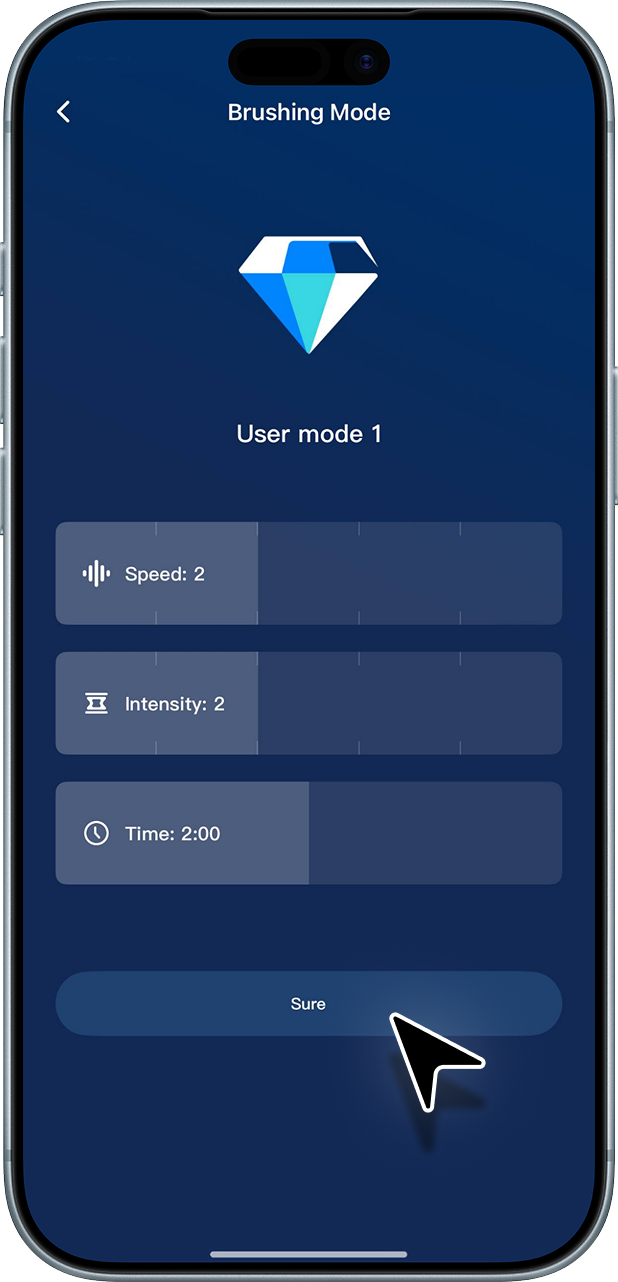
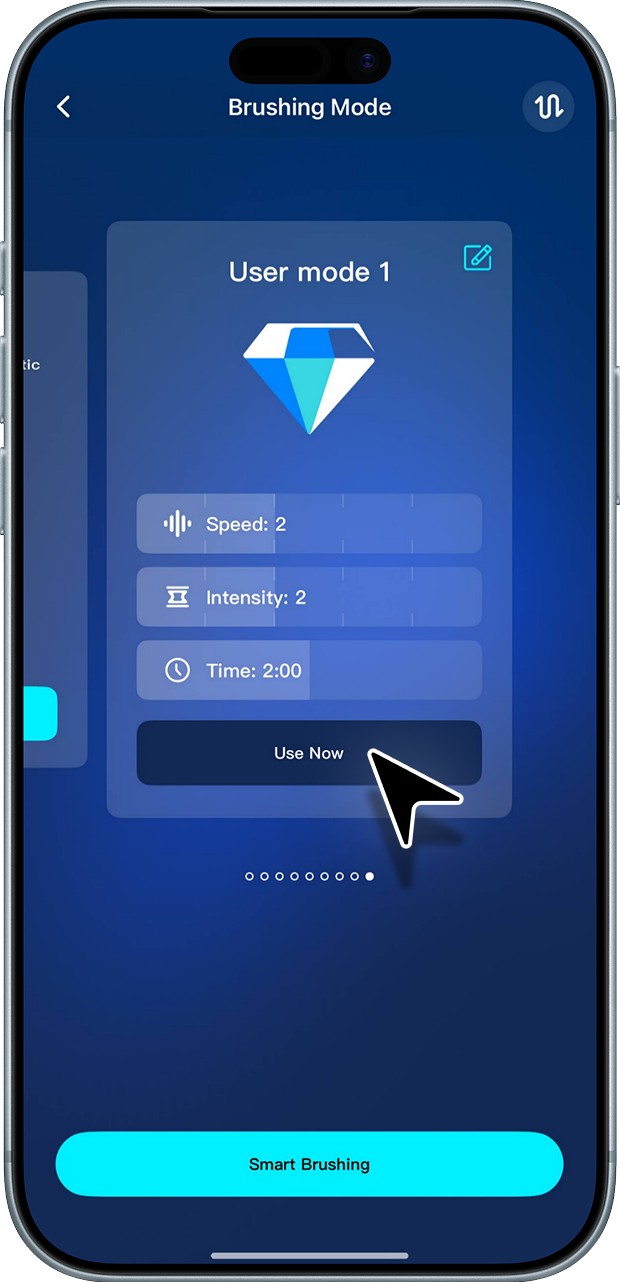
The system will intelligently recommend the most suitable brushing mode based
on your selected tooth type, whitening needs, and brushing goals.
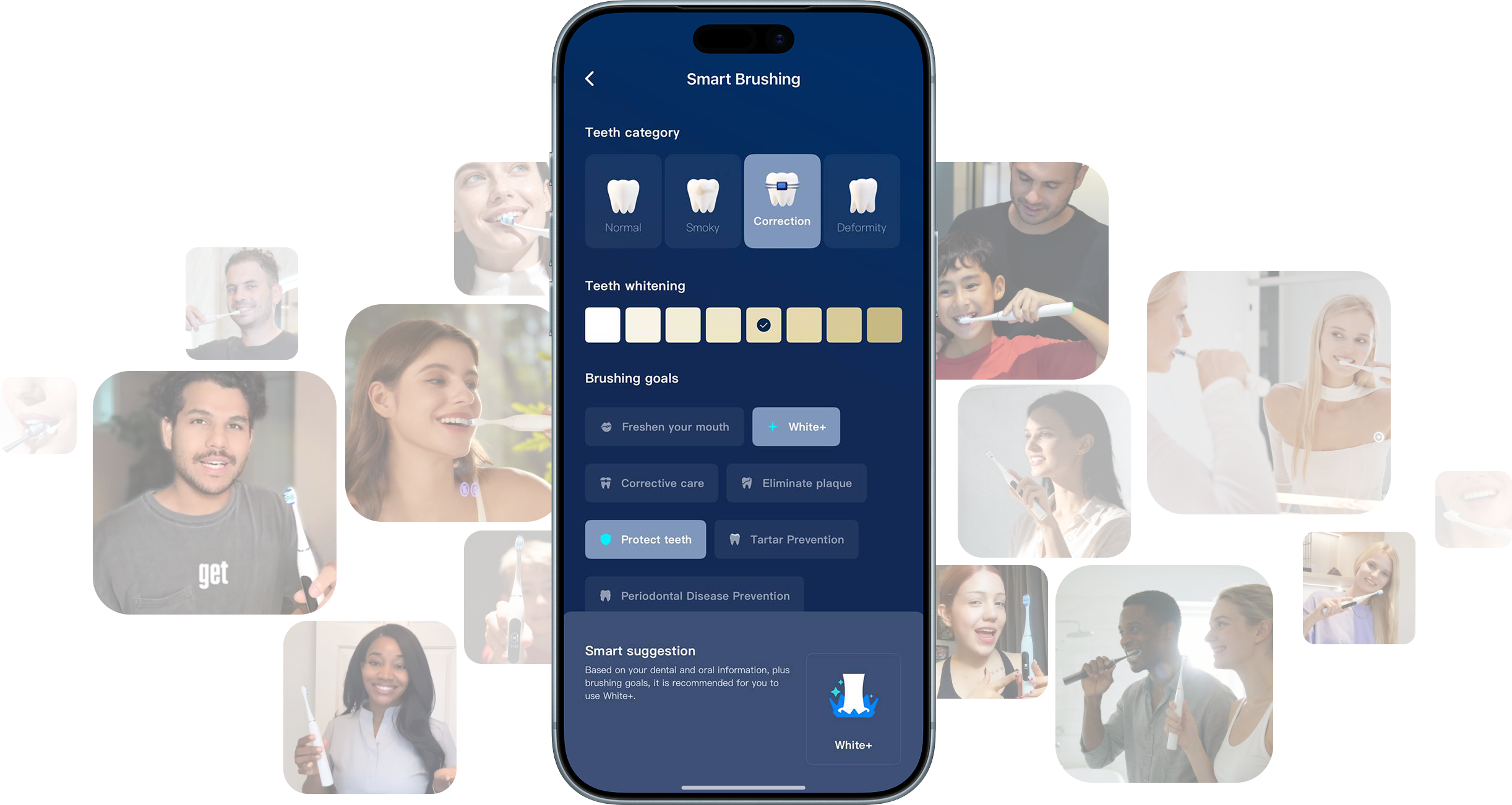
Smart Recommendation Video:
https://www.youtube.com/shorts/tSkz8zxNVCUMore videos:
Switch via App:
https://www.youtube.com/shorts/grlH18-yJ74Switch via Toothbrush Handle / App:
https://youtube.com/shorts/lwYDuSDOnLY?si=IwXWRx_nCH4WdC7m
Build an oral health data network quickly and at low cost in a way that everyone can build.


Address: RM 1427, 14/F RADIO CITY 505, HENNESSY RD CAUSEWAY BAY, HONG KONG
Code: 000000
Phone: +852-53758652
Email: customerservice@brusho.com